A user onboarding checklist is a simple, step-by-step guide that helps new users understand your product, complete key actions, and reach value faster. In SaaS, where first impressions happen in minutes, a well-designed checklist acts like a roadmap—showing users exactly what to do next instead of leaving them to figure things out alone.
That clarity matters more than many teams realize. Research shows that a complicated onboarding process will drive 74% of potential customers away, often before they experience any real value. Even worse, 55% of customers stop using a product they don’t understand. In other words, great features don’t matter if users never learn how to use them.
This is why user onboarding checklist best practices focus on simplicity, timing, and outcomes. When done right, onboarding checklists reduce friction, shorten time to first value, and improve activation and retention. In this guide, we’ll break down practical user onboarding checklist best practices SaaS teams should apply across every stage of the user journey.
Why user onboarding checklists matter in SaaS
These onboarding formats are among the most impactful for SaaS products across every industry.
1. They reduce time to first value (TTFV)
One of the most important user onboarding checklist best practices is guiding users to value as quickly as possible. Checklists break complex workflows into clear, actionable steps, helping users reach their first “win” faster. When users know exactly what to do next, they’re less likely to stall, get confused, or abandon the product before activation.
2. They tap into the psychology of progress and completion
Progress indicators trigger motivation. Seeing tasks checked off creates momentum and encourages users to keep going. This is why effective user onboarding checklist tips emphasize visible progress, small wins, and achievable tasks. Each completed step reinforces confidence and builds familiarity with your product.
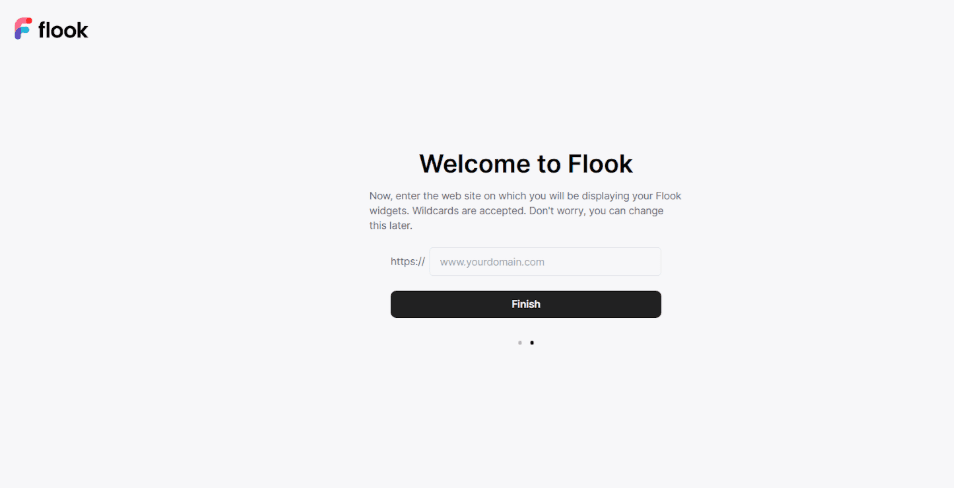
3. They create structure without overwhelming users
Instead of dumping features upfront, onboarding checklists introduce functionality gradually. This staged approach aligns with how users actually learn and prevents cognitive overload during early product interactions.
4. They reveal friction points in onboarding flows
Checklist completion data highlights where users drop off or get stuck, giving teams clear signals on what to improve. The insight helps teams prioritize fixes based on real user behavior, not assumptions. Instead of guessing why users churn early, they can refine messaging, reorder steps, or add guidance exactly where users struggle most. This can lead to smoother onboarding and stronger early engagement.
The SaaS onboarding framework: Awareness → Activation → Retention
Effective SaaS onboarding works best when it’s staged, not dumped all at once. New users arrive with limited context and attention, so overwhelming them with every feature upfront often leads to confusion and drop-off. A structured onboarding framework helps teams deliver the right guidance at the right time, based on where users are in their journey.
In the Awareness stage, onboarding focuses on clarity. Checklists introduce what the product does, who it’s for, and the core problem it solves. At this point, steps should be lightweight and educational, helping users feel oriented rather than pressured.
The Activation stage is where checklists become more task-driven. The goal is to guide users to a meaningful first outcome. That is, the moment they first experience real value. Steps are more focused, actionable, and tied directly to success.
During Retention, onboarding shifts again. Checklists evolve into ongoing guidance, helping users discover advanced features, build habits, and deepen product usage. As users progress, checklists should become more contextual, personalized, and responsive to actual behavior rather than static instructions.
In the sections ahead, we’ll break down each stage with practical best practices, real checklist examples, and actionable tips teams can apply immediately to improve onboarding outcomes.
User onboarding checklist best practices for the awareness stage
The goal of the checklist at this stage is to help SaaS users understand what the product does and why it matters. Here are user onboarding checklist tips to help you achieve that:
1. Streamline sign-up process
Remove unnecessary friction during sign-up by limiting required fields and steps. A fast, simple entry point reduces hesitation and helps users reach the product experience without frustration. For example, offering options like Google sign-in allows users to get started with one click, reducing hesitation and setup time.
2. First meaningful outcome
Each checklist item should guide users toward a clear “aha moment,” helping them experience the product’s core value quickly. By focusing on the first meaningful outcome, users understand why the product matters, which boosts engagement, reduces early drop-off, and encourages them to continue exploring key features.
3. Actionable tasks
Breaking complex actions into small, manageable steps keeps users from feeling overwhelmed or frustrated. Short, clear tasks make it easier to complete each step successfully, creating momentum and reinforcing confidence. This approach ensures users move steadily toward activation without hesitation, improving completion rates and the likelihood of achieving early wins.
4. Problem-focused guidance
Onboarding should highlight how features solve real user problems rather than just listing functions. Users connect more deeply when they see the practical impact of each step, making the checklist feel relevant and purposeful. This clarity drives faster adoption and reduces confusion during critical early interactions.
5. Task limits
Limiting checklists to 3–5 essential items keeps users focused on what matters most. Overloading users with too many steps leads to fatigue and drop-off. By prioritizing essential tasks, teams ensure users complete the onboarding sequence efficiently, reach their first value quickly, and stay motivated to explore additional features later.
6. Contextual support
Providing tooltips, inline guidance, or short examples exactly when users need help reduces friction and prevents mistakes. Contextual support ensures users can proceed without leaving the interface, increasing confidence and comprehension while maintaining engagement. This proactive guidance improves activation success and minimizes frustration.
7. Progress visibility
Showing checkmarks or completion bars gives users a sense of accomplishment and motivates continued engagement. Visual indicators of progress make the journey tangible, encouraging users to finish tasks and explore more features. Momentum built from seeing tangible progress increases activation and fosters a habit of consistent product use.
8. Just-in-time help
Delivering FAQs, short videos, or chat support at key moments prevents users from getting stuck and abandoning the product. Timely, relevant help empowers users to solve problems independently, reinforcing confidence and promoting a smoother onboarding experience, which leads to higher completion rates and better early adoption metrics.
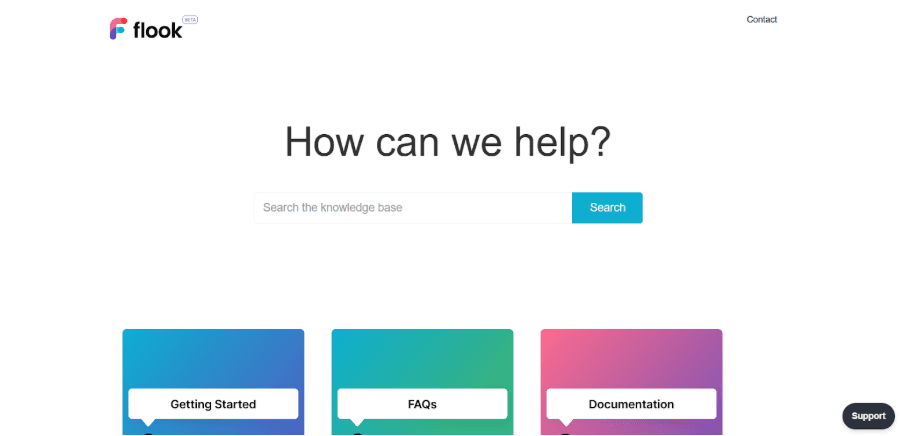
9. Early engagement nudges
Day 1 emails or in-app messages checking in on progress help users feel supported and connected. Gentle nudges provide quick tips or reminders to complete key steps, reducing hesitation and improving engagement. Early, timely communication strengthens the relationship and increases the likelihood of reaching meaningful outcomes.
User onboarding checklist best practices for the activation stage
Activation is about helping users reach their first meaningful outcome quickly. Checklists for this stage should be task-oriented, measurable, and designed to deliver immediate value. Here are the top best practices:
1. Guide users to their first “aha moment”
Focus checklist items on actions that deliver real value, like completing a key setup or seeing results immediately. For instance, a project management tool might guide users to create their first task and assign it to a teammate, so they instantly see workflow benefits. Highlighting the “first win” ensures users understand why the product matters.
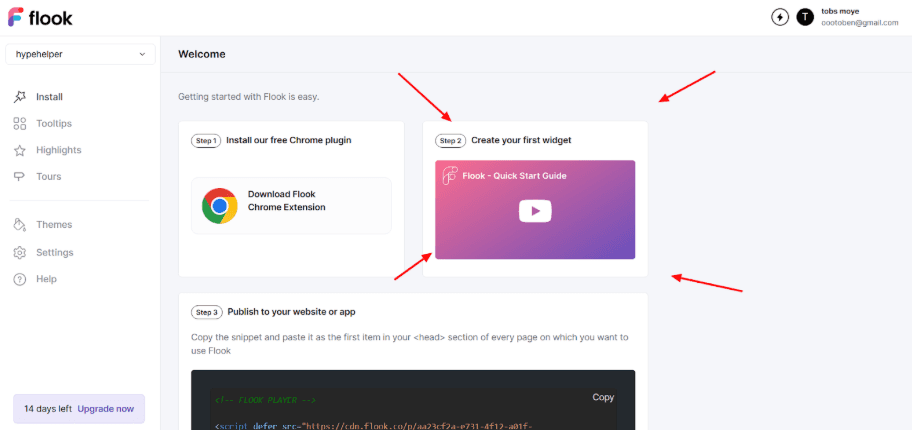
2. Provide pre-loaded demo content
Offer sample data, templates, or dummy projects so users can skip tedious setup and experience product functionality instantly. For example, a CRM could auto-populate a few sample contacts and deals, letting users explore features without starting from scratch. This reduces friction and accelerates engagement.
3. Use interactive walkthroughs tied to the checklist
Trigger step-by-step overlays that activate only as users progress, explaining benefits contextually. A marketing automation tool might show how to set up the first email campaign once the user finishes connecting their account. This ensures guidance feels timely and relevant.
4. Celebrate micro-wins with feedback
Show confetti animations, badges, or “Great job!” messages for each completed step, leveraging dopamine to motivate continuation. Even small achievements, like successfully importing data or completing a tutorial, feel rewarding and reinforce positive behavior.
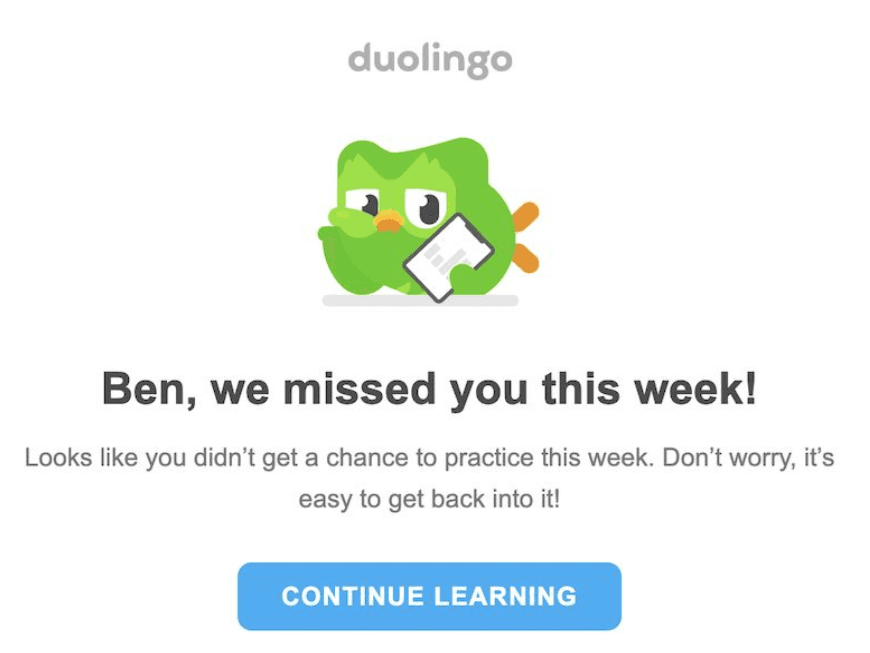
5. Show progress and monitor stalled users
Display progress bars and automate prompts like “Need help with Step 2?” if users pause. A learning platform, for example, could highlight incomplete lessons and send gentle nudges, keeping momentum and reducing drop-offs. Duolingo does this very well as shown in the screenshots below.
6. Prioritize essential features only
Include only the steps necessary to reach activation; optional or advanced features can come later. A collaboration app might first ensure users create and share a file before introducing integrations, so early tasks stay focused and achievable.
User onboarding checklist best practices for the retention stage
Retention-stage checklists help users go beyond initial activation and turn early engagement into long-term habits. The goal is to encourage regular use, deeper feature adoption, and ongoing value realization. Here are the top best practices:
1. Introduce advanced features gradually
Avoid overwhelming users with all features at once. Instead, roll out advanced capabilities in stages, tied to usage milestones. For example, a banking app might first guide users to complete basic actions like adding a bank account and making their first transfer, then later suggest features like setting up recurring payments or creating savings goals. This ensures the experience stays digestible and builds confidence.
2. Encourage habitual actions
Design checklist items that promote regular usage, such as creating weekly reports or checking dashboards daily. This helps users integrate your product into their workflow, increasing stickiness and lifetime value.
3. Personalize guidance based on behavior
Tailor checklist steps to how users interact with the product. For instance, a learning app like Duolingo could suggest new language lessons or practice exercises only after users complete their first set of daily lessons, ensuring guidance feels relevant and encouraging continued progress.
4. Celebrate milestones and achievements
Recognize recurring accomplishments with badges, notifications, or in-app messages. A marketing platform might congratulate users for sending their tenth campaign, reinforcing positive behaviors and motivating continued engagement.
5. Provide just-in-time support and resources
Offer FAQs, tutorials, or chat support when users explore new or complex features. For example, a reporting tool could display contextual tips when creating advanced dashboards, helping users progress without frustration.
6. Monitor engagement and nudge dormant users
Track feature usage and send timely reminders or tips to re-engage inactive users. An analytics platform might prompt users to revisit weekly trends if they haven’t logged in recently, preventing churn before it happens.
7. Iterate checklists based on data
Use completion rates, feature adoption, and drop-off metrics to refine checklist steps. Continuously optimizing based on real behavior ensures checklists remain effective in promoting retention and long-term value.
Founder experiences that prove the benefit of user onboarding checklists
User onboarding checklists can massively impact your conversion rates.
Sam DeBrule, co-founder of HeyDay
“We decreased customer churn at Heyday from 8.5% to 3.3% just by changing our onboarding flow…There’s no such thing as a perfect onboarding experience… but when done right, the impact of good onboarding can be massive.We included our nearly 3x reduction of churn from onboarding changes in our seed pitch deck, and it was one of the factors that helped us raise a round from top investors.”
This ties in with what we stated about how effective onboarding directly impacts retention and churn. By refining onboarding flows to focus on clarity, timing, and user progress, SaaS teams can dramatically improve outcomes. HeyDay’s experience shows that even incremental onboarding changes can drive measurable business results and influence investor confidence.
Jason Hennessey, founder of Hennessey Digital
“People aren’t simply looking to use software—they want that sense of accomplishment as they do. Visual progress cues and small, timely rewards are surprisingly effective for this reason. It’s easy to dismiss these as gimmicks, but the real value is in building momentum. Most users will stick around when they can actually feel themselves moving forward. Lose that feeling, though, and many tend to drop off.
One practical suggestion: build in a small but rewarding ‘win’ within the very first minute—finishing an initial setup step, unlocking even a basic feature, or earning a simple badge. There’s no need to go over the top. What matters is that quick reinforcement of progress, letting users know—sometimes almost subconsciously—that they’re getting somewhere.”
This encapsulates the best-practice tip around making progress visible and celebrating micro-wins during onboarding. Visual cues, small rewards, and early wins help users feel momentum almost immediately. When users can see and feel progress within the first minute, they’re far more likely to stay engaged and continue moving through the onboarding flow.
How Flook makes SaaS user onboarding better
Most onboarding tools promise a lot but feel complicated to use. Flook takes a different approach. It helps SaaS teams guide users through their product clearly and confidently, without needing developers or complex setups.
You can add tooltips, onboarding tours, checklists, popups, banners, and slideouts exactly where users need them. Instead of overwhelming people with instructions, Flook lets you explain things step by step, highlight important actions, and gently nudge users toward value.
Everything can be triggered by user behavior, pages, or events, so onboarding feels timely and relevant. The checklist feature is especially helpful as it keeps users focused on what actually matters at each stage of their journey.
Even better, Flook’s checklists work seamlessly with its tooltips and onboarding tours, so each task is supported with contextual guidance when needed. Teams can easily update steps, personalize flows, and trigger checklists based on user behavior. The result is a smoother onboarding experience that feels supportive rather than intrusive, helping users reach value faster and stay engaged longer. Try Flook today for free to improve your user onboarding and retention!
FAQs
How can I prevent onboarding checklist fatigue?
Limit checklist tasks to 3 to 5 essential steps and break complex actions into smaller, manageable tasks. Use progress indicators and celebrate micro-wins to keep users motivated, ensuring the checklist feels achievable without overwhelming them.
Should all onboarding checklist items be mandatory?
No. Make only critical steps mandatory, while keeping optional tasks for advanced features or exploration. This ensures users complete core actions needed for value while maintaining flexibility, reducing frustration, and allowing users to progress at their own pace.
Can user onboarding checklists be automated?
Yes. Onboarding checklists can be automated to trigger based on user behavior, events, or page visits. This ensures users receive guidance at the right time without manual intervention, keeping the flow relevant, timely, and consistent. Flook makes this easy by letting teams set up automated, context-sensitive checklist steps that guide users exactly when they need it.
How do I track user onboarding checklist success?
You can track checklist success by monitoring completion rates, time-to-first-value, and feature adoption tied to each step. Flook helps by providing analytics on which tasks users complete, where they stall, and how checklists impact engagement and retention.
How often should I update onboarding checklists?
You should update checklists regularly based on user behavior, feedback, and product changes. Flook makes it simple to refine steps, add new features, or remove friction points, ensuring your onboarding remains effective and aligned with evolving user needs.
What metrics track checklist success?
To track checklist success, monitor completion rate, time to activation, and drop-off at each step. A healthy benchmark is 40 to 60% completion, which often correlates with a 20 to 30% reduction in churn. These metrics show how effectively users follow the checklist and where improvements are needed.
Want to build a user onboarding checklist the easy way? Try Flook.
Previous post: