The Complete Guide to Popup Triggers and Timing [Plus Examples]
Last updated on Wed Feb 25 2026
With popups, you can guide your SaaS users at exactly the right moment, whether it’s nudging them to explore a feature or complete onboarding. So, don’t think of popups as mere interruptions. Rather, see them as the powerful tools they are for boosting engagement, driving conversions, and improving user experience.
The trick is knowing when to show them. In this guide, we’ll explain what popup triggers are, break down the different types, and show you how to choose the right one for your SaaS goals. You’ll also get practical examples and step-by-step instructions for adding in-app triggers to your software.
What are popup triggers?
Popup triggers are the rules or conditions that determine when a popup appears to a user within your SaaS product. Instead of showing popups randomly, triggers ensure the right message reaches the right person at the right time. They help guide users through onboarding, highlight new features, promote upgrades, or recover abandoned actions.
There are different ways to activate these triggers. Some are time-based, appearing after a user spends a certain amount of time in your app. Others are behavior-based, responding to clicks, scrolls, or inactivity. Then there are event-based triggers, which appear when a specific action occurs, like completing a project or reaching a usage milestone.
Using in-app triggers effectively not only increases engagement but also prevents your popups from feeling intrusive. By tailoring your messages based on user behavior, you can create a more personalized experience that drives conversions and improves overall satisfaction.
Types of popup triggers
As we’ve mentioned, there are three main types of popup triggers: behavioral, time-based, and event-based triggers. Each type serves a specific purpose and helps you deliver the right message at the right moment.
Behavioral triggers
Behavioral triggers are popups that appear in response to a user’s actions (or inactions) within your SaaS app. Unlike time-based popups, which rely solely on timing, behavioral triggers react to real user behavior, making them more relevant and engaging. Common behaviors that activate these triggers include attempting to exit a page, scrolling through content, clicking buttons, or staying inactive for a certain period.
Behavioral triggers are widely used by SaaS companies focused on user retention and engagement, such as project management tools, productivity apps, and subscription platforms. They’re especially effective for catching abandoning users, encouraging feature adoption, or prompting upgrades at moments when users are most likely to act.
You should consider behavioral triggers because they make your popups feel timely, helpful, and personalized. By responding to actual user behavior, you can increase engagement, reduce churn, and guide users toward meaningful actions without disrupting their experience.
Time-based triggers
Time-based triggers are popups that appear after a user has spent a specific amount of time on a page, in a session, or within your SaaS app. Unlike behavioral triggers, which respond to user actions, time-based triggers rely solely on timing to deliver messages. Common use cases include onboarding tips after a few minutes, trial expiration reminders, or promotional offers for users who have been browsing a feature for a set period.
SaaS companies with structured onboarding flows, subscription services, or feature tutorials often use time-based triggers to gently guide users without interrupting their experience. They’re particularly effective for educating users or reminding them of key actions when engagement is predictable.
However, time-based triggers aren’t always appropriate. Using them too early or too frequently can annoy users, while applying them to pages with irregular engagement patterns may reduce relevance. They work best when timed carefully and combined with other triggers for maximum impact.
Event-based triggers
Event-based triggers are popups that appear when a user completes a specific action or reaches a milestone within your SaaS product. Unlike time-based or behavior-based triggers, these popups are tied to concrete events, such as finishing onboarding, creating a project, completing a task, or reaching a usage goal. They’re ideal for delivering contextually relevant messages at meaningful moments.
Common behaviors that trigger event-based popups include completing a workflow, hitting a feature usage milestone, upgrading to a new plan, or attempting an action that could benefit from guidance, like setting up integrations.
Event-based triggers work best for SaaS companies that want to celebrate achievements, upsell features, provide helpful tips, or guide users through critical steps in the product journey. However, smaller apps with limited user interactions or products without clear milestone actions may not benefit as much from event-based triggers, as there are fewer opportunities to tie popups to meaningful events.
Choosing the right trigger for your SaaS
Choosing the right popup trigger ensures your messages reach users at the most effective moment. Here’s what to consider:
Your goal: To drive conversions, focus on behavior-based triggers like exit-intent or click-based popups that engage users at key decision points. If your goal is to encourage feature adoption, use event-based triggers tied to milestones or feature interactions to guide users toward exploring new functionality. To reduce churn, consider time-based or behavioral triggers that re-engage inactive users or highlight valuable features before they disengage.
Your users: Different user types behave differently, so choose triggers that match their needs. New users may respond best to onboarding tips, while power users benefit from milestone or feature-based popups that enhance productivity without interrupting workflow.
Timing and frequency: Schedule popups based on key moments in the user journey. Avoid overwhelming users by limiting frequency, and ensure messages appear when they’re most relevant. For instance, during onboarding, feature exploration, or just before potential churn points are examples where well-timed popups can guide users and increase engagement without being intrusive.
Data availability: Let your user data guide your in-app trigger selection. Analyze how users interact with your SaaS — pages visited, features used, or actions taken — and choose in-app triggers that align with real behavior to maximize relevance and engagement.
Test and iterate: Try different popup triggers, watch how users respond, and gather feedback. Use A/B tests and engagement metrics to tweak timing, messaging, or type until your popups hit the right balance of being helpful, relevant, and never annoying.
Popup trigger examples
Take a look at these examples for more inspiration.
Time-based popup trigger example
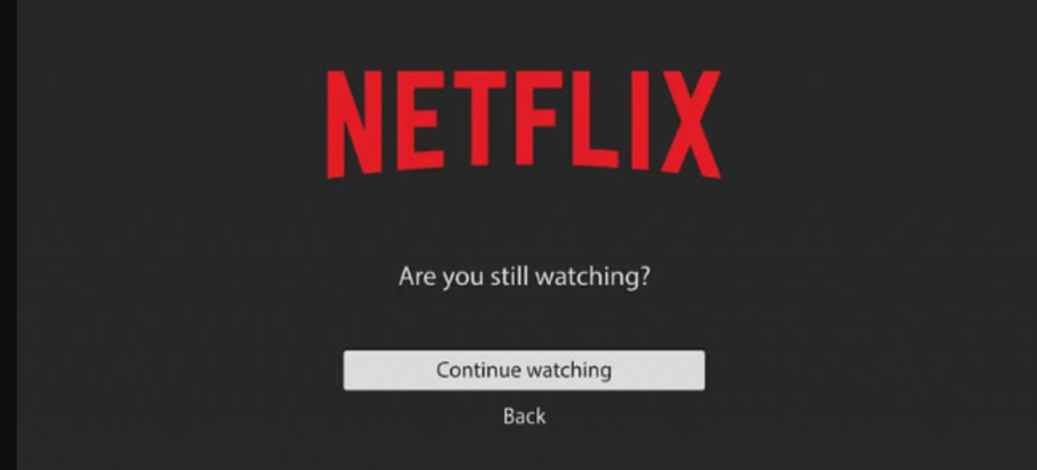
An example of a time-based popup trigger you’re probably familiar with is Netflix’s infamous “Are you still watching?” This simple yet effective message pops up after a period of inactivity, reminding users to stay engaged or resume their session.
Behavioral popup trigger example
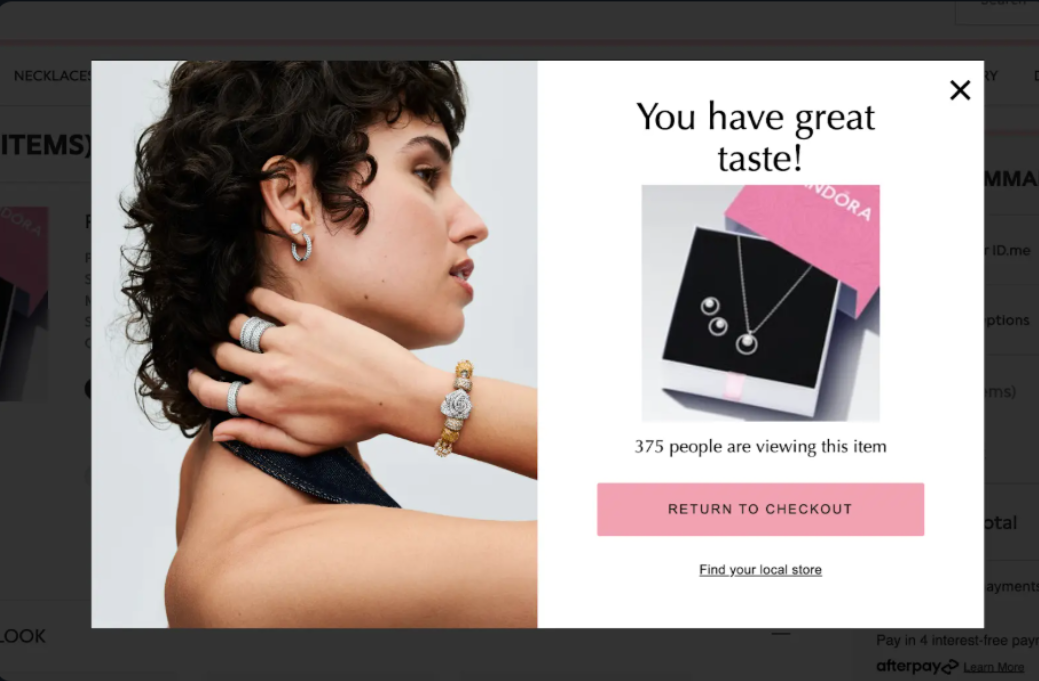
Have you ever moved your cursor to close or leave a website and immediately got a popup asking you to subscribe or stay? That’s a classic behavioral trigger, responding to your action in real time to capture attention, retain engagement, or encourage a specific action before you exit.
Pandora, the online jewelry store, does this especially well with this popup that appears when you abandon your cart. It tugs at the user’s attention and takes advantage of FOMO to encourage them to complete their purchase before leaving the site.
Event-based popup trigger example
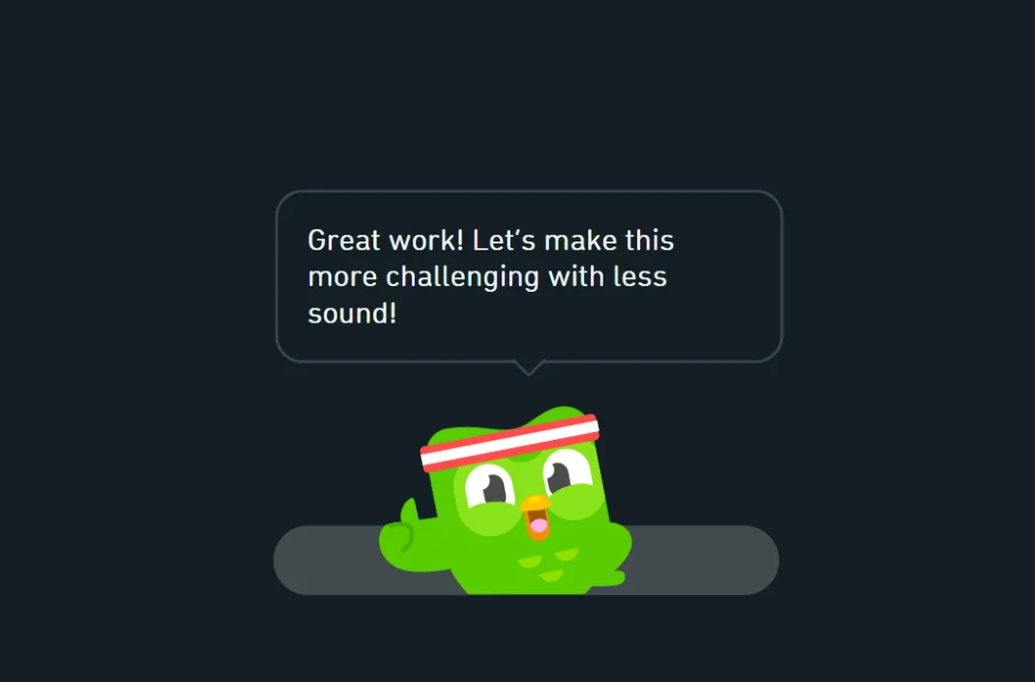
Not many platforms do event-based popup triggers as well as Duolingo. The language learning app displays popups when users reach milestones, like completing a lesson or hitting a streak. These messages celebrate achievements, offer encouragement, and suggest the next step, keeping users motivated and engaged.
How to add popup triggers with Flook
Flook makes it easy to add popups, banners, tooltips, and product tours to your web app, and control exactly when they appear. Here’s a simple way to get started:
Set up Flook: Sign up at flook.co and add their script to your site.
Create your popup: In the Flook dashboard, go to Widgets > New Popup. Write your message, design your CTA, and style it to match your app.
Pick a trigger: Choose how the popup shows up. Options include time-based triggers and behavioral triggers like action-based (scroll or click), exit-intent, contextual/location-based, or first-visit triggers. Adjust details like timing, elements, or pages.
Refine conditions: Limit who sees it by user type, device, or page, and set frequency limits so it doesn’t annoy anyone.
Test it: Preview your popup, try the actions yourself, and make sure it behaves correctly.
Publish and monitor: Go live instantly and track performance with Flook Analytics. Tweak and A/B test to see what works best.
Frequently asked questions
What is the difference between time-based, behavioral, and event-based popup triggers?
Time-based triggers appear after a set period on a page or session. Behavioral triggers respond to user actions like scrolling, clicking, or exit intent. Event-based triggers activate when a specific milestone or action occurs, such as completing onboarding or reaching a usage goal.
How do I know which popup trigger is right for my SaaS users?
To choose the right popup trigger, start with your goal, whether it’s driving conversions, feature adoption, or reducing churn. Then consider your users’ behavior, key moments in their journey, and available data. Test different triggers and iterate based on engagement and feedback.
Can I use multiple triggers on the same page?
Yes! You can use multiple triggers on the same page, but be careful not to overwhelm users. For example, use a time-based popup for general reminders and an exit-intent popup to capture abandoning visitors so each serves a clear purpose.
What are examples of behavioral popup triggers?
Behavioral popup triggers appear based on what users do in your app. Examples include popups that show when someone scrolls halfway down a page, clicks a button, tries to leave the site, or stays inactive for a certain amount of time.
Looking for the easiest and most reliable way to create popup triggers? Learn more about Flook.